Yes, you can arrange a viewing before committing to a booking. How you request a viewing depends on how the landlord has set up their listing.
Option 1: Contact the landlord directly
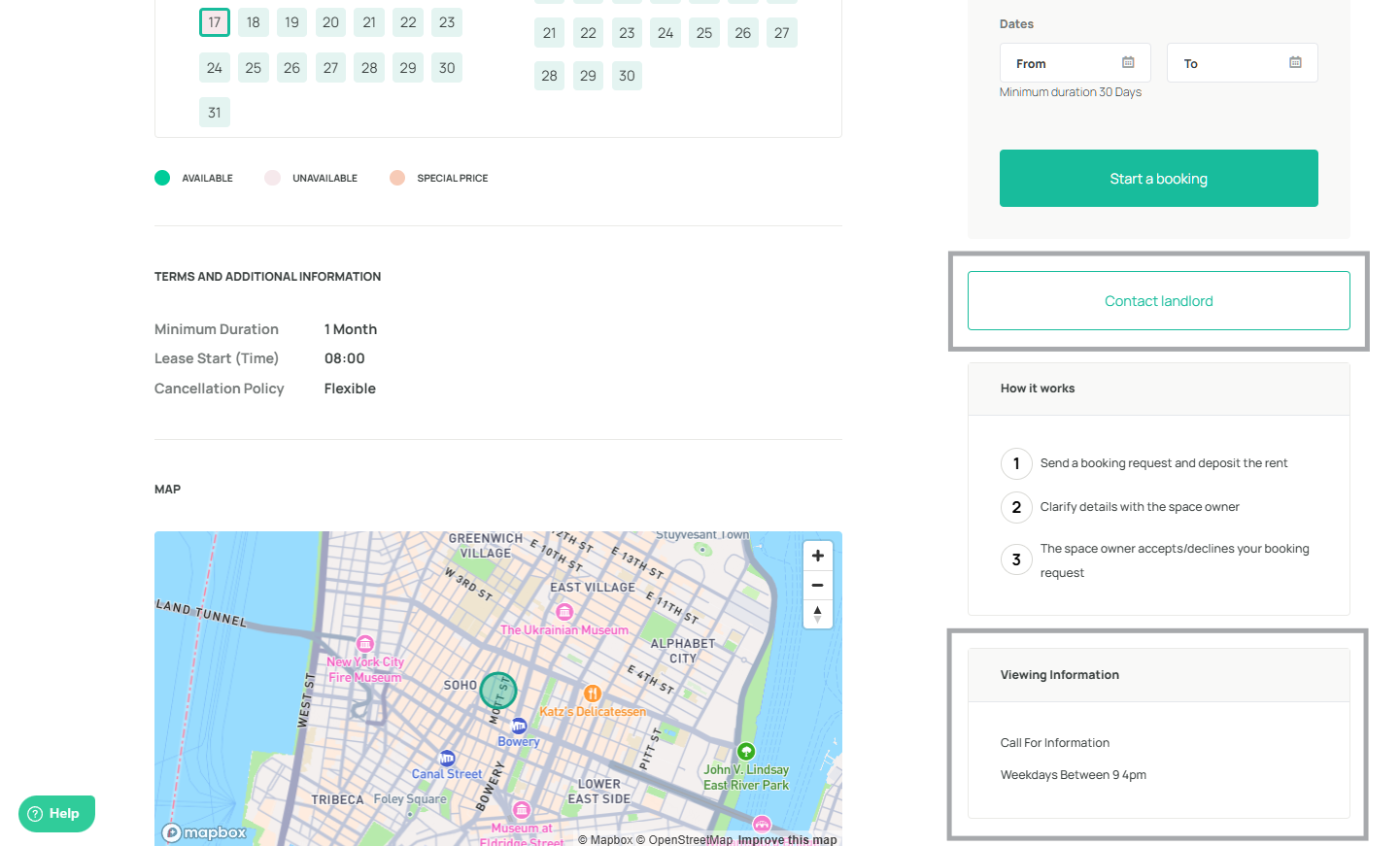
Some listings have a Contact landlord button displayed above the How it works section. If the landlord has added their viewing information, you will also see a Viewing Information box below the How it works section showing their contact details, for example a phone number and available hours.
Open the listing page
Look for the Contact landlord button above the How it works section
Click it and reach out to arrange a viewing
Alternatively, use the contact details shown in the Viewing Information box if available
Option 2: Submit an inquiry
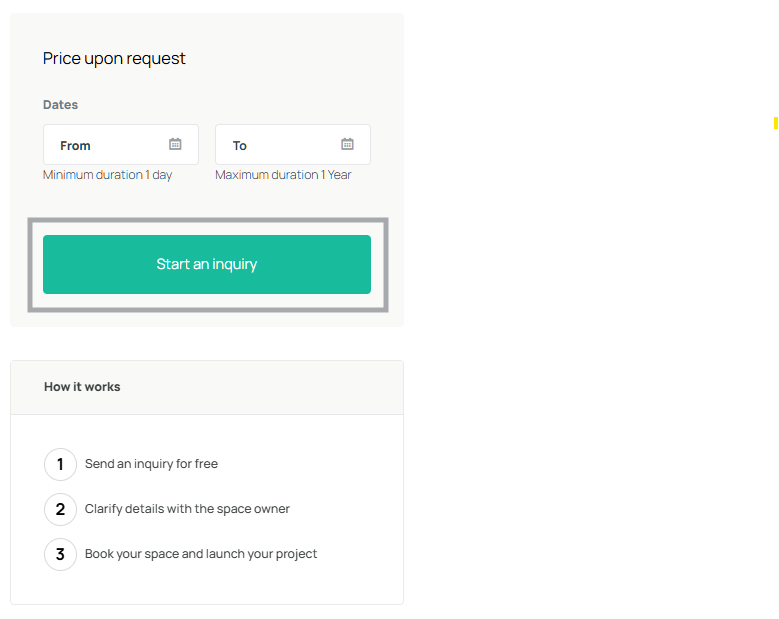
If no Contact landlord button is visible, the listing uses the inquiry workflow. Use the inquiry to request a viewing before committing to a booking.
Open the listing page
Click the teal Start an inquiry button in the booking widget
In your message, mention that you would like to arrange a viewing first
The landlord will respond via the platform inbox
Note: Not all landlords offer in-person viewings. If no viewing option is available, review the listing images, floor plan, and description carefully before submitting a booking request.


Was this article helpful?
That’s Great!
Thank you for your feedback
Sorry! We couldn't be helpful
Thank you for your feedback
Feedback sent
We appreciate your effort and will try to fix the article