Not all listings display their price publicly. Some landlords choose to keep pricing private, either because rates vary depending on the brand, concept, duration, or time of year, or because they prefer to discuss pricing directly before sharing details. This is a deliberate choice by the landlord and not a technical issue.
The space is still available to book. Pricing is shared directly once you make contact.
How to find out the price
Open the listing page for the space you are interested in
Scroll to the How it works section
Click Contact the landlord or Start an inquiry
Introduce your brand and concept and ask about pricing for your preferred dates
The landlord will respond with pricing details via the platform inbox
Note: Hidden pricing does not mean the space is out of budget. Many high-quality listings operate this way and landlords may be open to negotiation depending on your concept and timing.
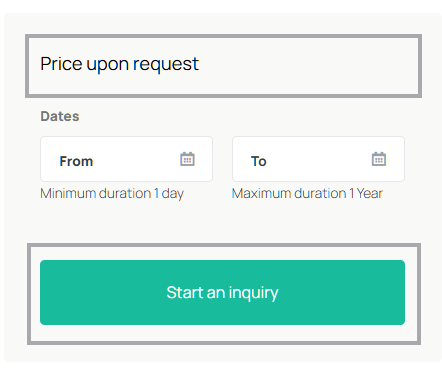
To find out the price for a space, contact the landlord directly via the listing page.
See How to send an inquiry to a listing and property contact form.
Was this article helpful?
That’s Great!
Thank you for your feedback
Sorry! We couldn't be helpful
Thank you for your feedback
Feedback sent
We appreciate your effort and will try to fix the article