Every listing on POP UP SHOPS has a built-in availability calendar showing which dates are open, unavailable, or subject to special pricing. You can check availability directly on the listing page before submitting a request or inquiry.
To find it: open the listing page and scroll below the description to the Availability calendar section. The calendar shows availability on a monthly basis.
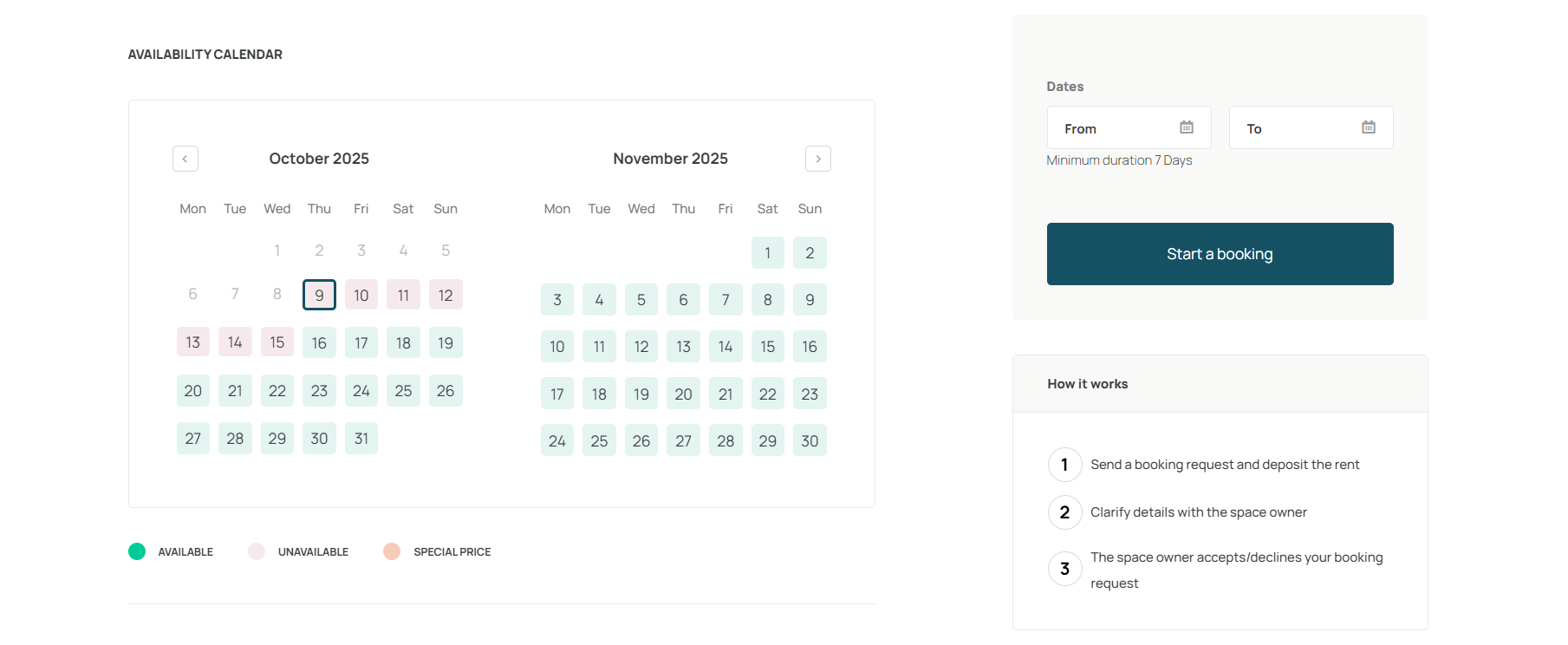
Legend | |
|---|---|
| Green | Available: the space is open for booking on this date |
| Pink | Unavailable: the space is already booked or blocked by the landlord |
| Orange | Special price: the space is available at a different rate than the standard listing price |
What to do once you find the right dates
Once you have identified available dates that work for your concept, you can move forward in one of two ways depending on the listing's leasing workflow:
Click Start a booking or Book now to submit a booking request directly
Click Start an inquiry to reach out to the landlord before committing
Available dates are not reserved until a booking is confirmed. If you find suitable dates, submit your request or inquiry promptly to avoid them being taken.
Was this article helpful?
That’s Great!
Thank you for your feedback
Sorry! We couldn't be helpful
Thank you for your feedback
Feedback sent
We appreciate your effort and will try to fix the article