To contact a landlord with questions, go to the listing page for the space you're interested in. The contact method varies depending on whether the listing allows Booking Requests or Inquiries.
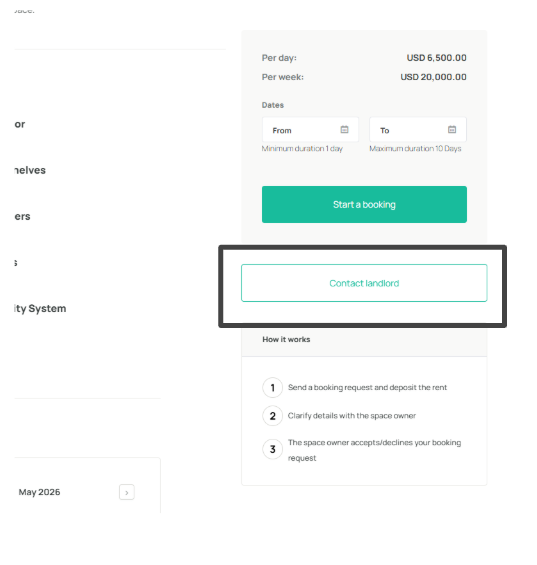
For listings that use Booking Requests, click the “Contact landlord” button in the How it works section. This will allow you to message the landlord first before Starting a booking which will already require you to select your preferred dates and complete the payment process with the fixed rental rate.
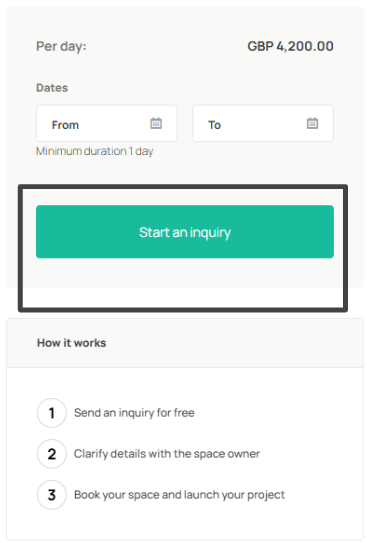
For listings that use Booking Inquiry, click the “Start an inquiry” button in the How it works section. This lets you message the landlord first and discuss or negotiate the rate before both parties confirm the booking.
Not sure which applies to your listing?
See Why are some listings bookable by request and some by inquiry? for a full explanation of how the different booking workflows work.
For more details on sending an inquiry, see How to send an inquiry to a listing and property contact formWas this article helpful?
That’s Great!
Thank you for your feedback
Sorry! We couldn't be helpful
Thank you for your feedback
Feedback sent
We appreciate your effort and will try to fix the article